Showing posts with label HP. Show all posts
Showing posts with label HP. Show all posts
HP Laserjet 4V and 4MV service mode
1. Hold down the [On Line], [Form Feed], and [Enter] keys while powering ON the printer, until all lights are illuminated and the Display Window is blank. (If the Display Window reads 05 SELF TEST at this point, the keys were released too soon. Repeat this step until successful.)
2. Press the [Form Feed] key, then the [Enter] key. The message SERVICE MODE is displayed briefly, then the printer automatically begins a 05 SELF TEST.
After several seconds, both Control Panel Indicators turn OFF. (The printer may display 02 WARMING UP if it has not warmed up completely.) After the printer has warmed up and passed the self test, SERVICE MODE is displayed.
3. Press [Menus] once to display SERVICE MENU.
4. Once it says SERVICE MENU press ITEM to scroll through service mode items.
To exit the Service Mode press the [On Line] key.
Continue reading..
2. Press the [Form Feed] key, then the [Enter] key. The message SERVICE MODE is displayed briefly, then the printer automatically begins a 05 SELF TEST.
After several seconds, both Control Panel Indicators turn OFF. (The printer may display 02 WARMING UP if it has not warmed up completely.) After the printer has warmed up and passed the self test, SERVICE MODE is displayed.
3. Press [Menus] once to display SERVICE MENU.
4. Once it says SERVICE MENU press ITEM to scroll through service mode items.
To exit the Service Mode press the [On Line] key.

HP Laserjet 5000 series service mode
1. Hold down [Select] and [Cancel Job] while turning on the printer.
(If the control panel reads INITIALIZING, the keys were released too soon.)
2. Press the right side of the [Menu] key, then press [Select]. The message SERVICE MODE is displayed.
3. Press [Menus] once to display SERVICE MENU.
4. Once it says SERVICE MENU press ITEM to scroll through service mode items.
To exit the Service Mode press [Go].
Continue reading..
(If the control panel reads INITIALIZING, the keys were released too soon.)
2. Press the right side of the [Menu] key, then press [Select]. The message SERVICE MODE is displayed.
3. Press [Menus] once to display SERVICE MENU.
4. Once it says SERVICE MENU press ITEM to scroll through service mode items.
To exit the Service Mode press [Go].
Download HP LaserJet Pro 400 Printer M401n Driver software tools and firmware
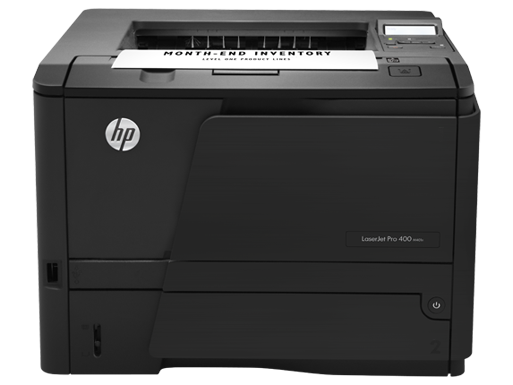
Get Printer Driver,
Product Installation Software,
Latest Firmware,
Utility
and Diagnostic Tools.
in the following links below.
Microsoft Windows 8 (32 bit)
Microsoft Windows 8 (64 bit)
Microsoft Windows 7 (32 bit)
Microsoft Windows 7 (64 bit)
Microsoft Windows server 2008 x64
Microsoft Windows server 2008 w32
Microsoft Windows Vista
Microsoft Windows Vista (64 bit)
Microsoft Windows XP
Mac OS X
Linux os
http://h20000.www2.hp.com/bizsupport/TechSupport/DriverDownload.jsp?lang=en&cc=us&prodNameId=5166603&taskId=135&prodTypeId=18972&prodSeriesId=5096252&lang=en&cc=us
How to Reset for HP deskjet 3650
One thing they did tell me that might help is how to print a test from the printer Ensure the printer is turned on.
* Press and hold the Power button.
* While holding the Power button, press and release the Resume button four (4) times.
* Release the Power button. A self-test page will print.

* Press and hold the Power button.
* While holding the Power button, press and release the Resume button four (4) times.
* Release the Power button. A self-test page will print.